.%20Same%20paths%20and%20fill;%20only%20the%20viewBox%20is%20cropped%20to%20the%20file's%20own%20clip%20rect%20so%20the%20bar%20sets%20the%20clear%20space.%20--%3e%3csvg%20width='480.615'%20height='97.3693'%20viewBox='97%2078%20480.615%2097.3693'%20fill='none'%20xmlns='http://www.w3.org/2000/svg'%3e%3cg%20clip-path='url(%23clip0_1709_25672)'%3e%3cpath%20d='M507.64%20157.772C497.197%20157.772%20490.907%20152.963%20490.907%20141.818V78H503.605V97.3565H530.187L547.394%20137.712L562.584%2097.3565H577.062L544.784%20175.369H530.424L540.63%20151.907L521.406%20108.501H503.605V139.941C503.605%20144.751%20505.741%20146.628%20510.725%20146.628H522.236V157.772H507.64Z'%20fill='%23121516'/%3e%3cpath%20d='M467.845%20157.772V97.3565H480.543V157.772H467.845ZM467.489%2091.139V78H480.899V91.139H467.489Z'%20fill='%23121516'/%3e%3cpath%20d='M404.356%20157.772L425.005%20126.215L405.899%2097.3566H421.089L433.549%20118.004L446.128%2097.3566H461.318L442.212%20126.215L462.861%20157.772H447.671L433.549%20134.779L419.546%20157.772H404.356Z'%20fill='%23121516'/%3e%3cpath%20d='M377.834%20159.532C359.915%20159.532%20348.285%20146.745%20348.285%20127.271C348.285%20108.501%20360.034%2095.5968%20377.122%2095.5968C394.329%2095.5968%20405.84%20107.445%20405.84%20125.16C405.84%20127.858%20405.722%20129.852%20405.366%20131.494H361.458C362.17%20142.874%20367.747%20148.974%20377.953%20148.974C385.31%20148.974%20390.176%20145.689%20391.956%20139.237H404.891C402.043%20151.907%20391.837%20159.532%20377.834%20159.532ZM361.458%20121.64H392.905C392.193%20111.317%20386.853%20106.155%20377.122%20106.155C367.984%20106.155%20362.288%20111.903%20361.458%20121.64Z'%20fill='%23121516'/%3e%3cpath%20d='M328.431%20157.772V78H341.128V157.772H328.431Z'%20fill='%23121516'/%3e%3cpath%20d='M263.88%20175.369V97.3565H276.578V103.457C280.375%2098.4123%20287.021%2095.5968%20294.853%2095.5968C311.111%2095.5968%20321.316%20107.915%20321.316%20127.506C321.316%20147.097%20311.111%20159.532%20294.853%20159.532C287.021%20159.532%20280.375%20156.717%20276.578%20151.672V175.369H263.88ZM292.123%20148.035C302.685%20148.035%20308.263%20140.997%20308.263%20127.506C308.263%20114.132%20302.685%20107.093%20292.123%20107.093C281.443%20107.093%20275.866%20114.132%20275.866%20127.506C275.866%20140.997%20281.443%20148.035%20292.123%20148.035Z'%20fill='%23121516'/%3e%3cpath%20d='M224.479%20157.772V97.3566H237.176V103.809C239.55%2099.7028%20244.178%2097.3566%20249.874%2097.3566H258.181V109.322H249.874C241.092%20109.322%20237.176%20113.546%20237.176%20122.931V157.772H224.479Z'%20fill='%23121516'/%3e%3cpath%20d='M188.82%20159.532C170.9%20159.532%20159.271%20146.745%20159.271%20127.271C159.271%20108.501%20171.019%2095.5968%20188.107%2095.5968C205.315%2095.5968%20216.825%20107.445%20216.825%20125.16C216.825%20127.858%20216.706%20129.852%20216.35%20131.494H172.443C173.155%20142.874%20178.733%20148.974%20188.938%20148.974C196.296%20148.974%20201.161%20145.689%20202.941%20139.237H215.876C213.028%20151.907%20202.823%20159.532%20188.82%20159.532ZM172.443%20121.64H203.891C203.179%20111.317%20197.838%20106.155%20188.107%20106.155C178.97%20106.155%20173.274%20111.903%20172.443%20121.64Z'%20fill='%23121516'/%3e%3cpath%20d='M97%20175.369V97.3565H109.698V103.457C113.495%2098.4123%20120.141%2095.5968%20127.973%2095.5968C144.231%2095.5968%20154.436%20107.915%20154.436%20127.506C154.436%20147.097%20144.231%20159.532%20127.973%20159.532C120.141%20159.532%20113.495%20156.717%20109.698%20151.672V175.369H97ZM125.244%20148.035C135.805%20148.035%20141.383%20140.997%20141.383%20127.506C141.383%20114.132%20135.805%20107.093%20125.244%20107.093C114.563%20107.093%20108.986%20114.132%20108.986%20127.506C108.986%20140.997%20114.563%20148.035%20125.244%20148.035Z'%20fill='%23121516'/%3e%3c/g%3e%3cdefs%3e%3cclipPath%20id='clip0_1709_25672'%3e%3crect%20width='480.615'%20height='97.3693'%20fill='white'%20transform='translate(97%2078)'/%3e%3c/clipPath%3e%3c/defs%3e%3c/svg%3e)
10 AI Tools for Consultants: Use Cases, Key Features, Pricing & Alternatives
Explore 10 AI tools that help consultants streamline research, data analysis, automation, presentations, and client workflows.
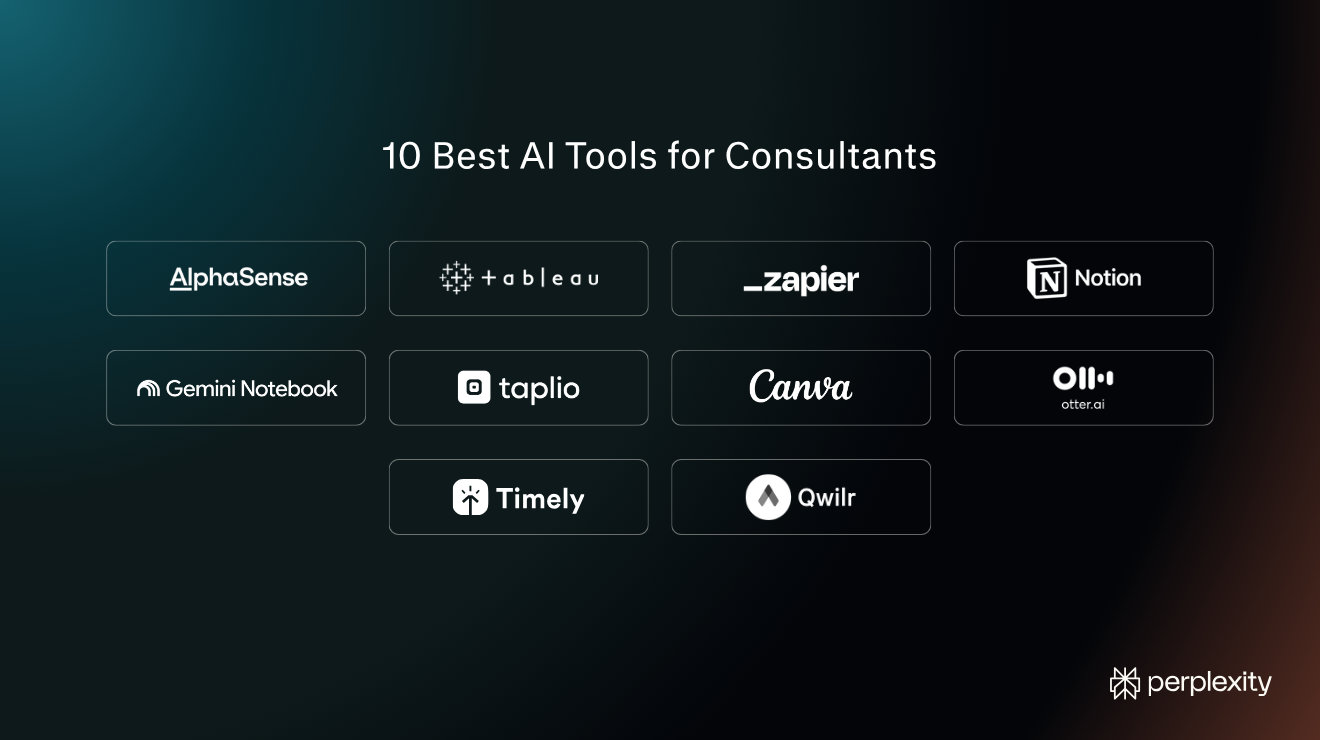
AI tools help consultants speed up research, analyse data, synthesise client documents, draft deliverables, capture meeting notes, keep client knowledge organised, automate repetitive work, build proposals, manage time, and generate new leads.
This gives them more time to focus on what they're paid for: applying their expertise and judgement to solve clients' problems.
Perplexity is one of them. Consultants use it for client deep dives, market sizing, proposal development, final-pass document review, and as a general AI assistant.
Every Deep Research answer comes with inline citations to the sources it pulled from, making it easier to verify accuracy. Projects keep all chats, files, and custom instructions for each client in one place, and Perplexity Computer, its AI Agent, completes complex multi-step tasks.
But we’re not going to focus on Perplexity. What are the other tools that should be at the top of your consideration list? We’ve covered 10 other AI tools for consulting, organised by use case. Each entry lists what the tool does, its core features, current pricing, and alternative tools worth considering.
10 Best AI Tools for Consultants at a Glance
If you're short on time, here's an overview of the top AI solutions for consultants, their use cases, and pricing.
Tool | Best for | Pricing | Alternatives |
AlphaSense | Market and financial intelligence | Custom pricing: Median annual contract $18,000 (Vendr) | Crayon, Signal AI, CB Insights |
Tableau AI | Data analysis and dashboards | Free desktop version, then $15/user/month billed annually | Microsoft Power BI, ThoughtSpot, Numerous.ai |
Zapier | Automating repetitive work across apps | Free plan, then starting from $19.99/month | Make, n8n, Lindy |
Notion AI | Knowledge management | Free trial of the AI features, then $20/member/month | Superhuman Docs (Coda), Confluence, ClickUp |
Gemini Notebook (NotebookLM) | Synthesising client documents | Free plan, then $4.99/month | Claude Projects, Microsoft Copilot Notebooks, Perplexity Projects |
Taplio | LinkedIn personal branding and lead generation | 7-day free trial, then from $39/month | AuthoredUp, Supergrow, Buffer AI |
Canva AI | Client-ready presentations and visuals | Free plan, then $144/year | Gamma, Beautiful.ai, Adobe Express |
Otter.ai | AI meeting notes and searchable transcripts | Free plan, then $16.99/user/month | Fathom, Fireflies.ai, Granola |
Timely | Automatic time tracking and billable hours | Free trial, then $11/user/month | Toggl Track, |
Qwilr | Interactive proposals with e-signature | 14-day free trial, then $35/user/month billed annually | PandaDoc, Proposify, Better Proposals |
Prices verified in September 2026.
AlphaSense - Best for Market and Financial Intelligence
AlphaSense is a market research tool. It searches a library of filings, earnings-call transcripts, broker research, news, and expert-interview transcripts, and returns AI-generated summaries that help consultants better understand prospective clients and deepen relationships with existing ones.
Key features:
- Generative Search: Reasons across qualitative content, financial data, and a firm's own uploaded documents to return auditable reports.
- Deep Research agent: Builds research briefings.
- Expert Insights: An interview transcript library and access to bespoke expert calls.
- Enterprise Intelligence: Connects a firm's own shared drives to make internal memos and decks searchable alongside the external library.
Pricing: Both packages, Market Intelligence and Enterprise Intelligence, come with custom pricing. The median annual contract value is $18,000 (Vendr, September 2026).
AlphaSense alternatives:
- Crayon mines company data for competitive intelligence and sales talk tracks.
- Signal AI monitors external risk and reputation across multiple channels in 226 markets.
- CB Insights covers private-company and startup data for acquisition, investment, and partnership research.
Tableau AI - Best for Data Analysis and Dashboards
Tableau AI, Salesforce's AI data analysis platform with a generative AI layer called Einstein, lets consultants analyse and visualise client data by asking questions.
Key features:
- Tableau Agent for dashboards: Answers natural-language questions with insights grounded in the client's data.
- Tableau Agent for Prep: Generates multi-step data-prep plans, calculations, and pivot tables.
- Tableau Pulse: Delivers personalised insight digests that explain what changed in a metric and why.
- Einstein Trust Layer: Enforces zero data retention with the LLM providers Tableau connects to, and masks sensitive data before it reaches a prompt.
Pricing: Free Desktop Edition (local only). Standard is from $15 per user per month and Enterprise from $35. Tableau Agent is included from the Cloud+ tier.
Tableau AI alternatives:
- Microsoft Power BI pairs a unified analytics platform with Copilot.
- ThoughtSpot offers search-driven analytics.
- Numerous.ai integrates ChatGPT inside Google Sheets and Excel.
Zapier - Best for Automating Repetitive Work Across Apps
Zapier connects more than 9,000 apps and runs multi-step workflows, AI agents, and an MCP endpoint that lets an assistant like Claude or ChatGPT take actions directly inside other tools. Consultants use Zapier to automate routine, manual tasks, like copying data across different docs or apps.
Key features:
- Multi-step Zaps with Paths: Enables conditional chains ("if A happens, do X; if B happens, do Y") across a consultant's AI stack.
- Zapier Agents: Agents equipped with company knowledge that work across connected apps on command or on a schedule.
- Zapier MCP: Lets Claude, ChatGPT, and Cursor send email, update spreadsheets, and post messages through Zapier's logged, permissioned connections.
- Tables, Forms, and Canvas: Data storage and intake forms.
Pricing: Free plan for 100 tasks per month. Professional from $19.99 per month, Team from $69 per month.
Zapier alternatives:
- Make is an automation platform known for its visual interface.
- n8n builds AI agents and workflows with visible, editable logic.
- Lindy is an AI assistant that manages inbox, calendar, and follow-ups.
Notion AI - Best for Knowledge Management
Notion is a knowledge management platform that uses docs, wikis, and databases. Its AI layer, Notion AI, helps you automate your daily consulting workflows. It creates and edits pages, transcribes and summarises meeting notes, and searches connected apps like Slack, Google Drive, Jira, and GitHub.
Key features:
- Notion Agent: Carries out complex tasks across pages and databases, using context from the workspace and connected apps.
- AI Meeting Notes: Transcribes and summarises meetings and files them in relevant pages.
- Enterprise Search: A permission-aware search across every connected app.
- Research Mode: Generates ready-to-share reports by pulling from connected apps and the web.
Pricing: Free and Plus plans include only a trial of Notion AI. Notion Agent, AI Meeting Notes, and Enterprise Search require the Business plan ($20 per member per month).
Notion AI alternatives:
- Superhuman Docs (formerly Coda) is a collaborative workspace combining docs and tables.
- Confluence is Atlassian's team wiki with an AI layer that searches Confluence, Jira, and connected apps.
- ClickUp is a work and project management platform with AI that uses multiple models to analyse the data.
Gemini Notebook - Best for Synthesising Client Documents
NotebookLM, recently rebranded as Gemini Notebook, is an AI-powered research assistant that uses only uploaded sources to provide answers, which reduces the risk of errors and hallucinations. Consultants use it to build reliable executive summaries and extract accurate data from reports.
Key features:
- Source-grounded chat with citations: Every answer references only the uploaded material.
- Audio Overviews and Video Overviews: Turn sources into an audio or video summary.
- Mind Maps: A branching diagram of the topics across all uploaded sources.
Pricing: Free Standard plan; paid starts at $4.99 per month. Google AI Pro: $19.99 per month.
NotebookLM Alternatives:
- Claude Projects organises and pulls from client-specific chats and documents.
- Microsoft Copilot Notebooks collects Copilot chats, files, and meeting notes and produces podcast-style summaries.
- Perplexity Projects holds files, instructions, and connected tools.
Taplio - Best for LinkedIn Personal Branding and Lead Generation
Taplio is a LinkedIn-only content creation tool that finds post ideas, writes and schedules posts in a user's own voice, surfaces people worth engaging with, and converts that engagement into connection requests and messages.
Consultants and coaches use Taplio to build their LinkedIn presence and cultivate relationships with prospective clients.
Key features:
- AI post creation: Ideas and drafts written in the user's voice, with best-time scheduling.
- Carousel generator: Writes and designs a swipeable carousel post automatically.
- Engagement feed: A curated list of prospects, peers, and creators worth commenting on.
- Connection-request automation: Sends a connection request to anyone who engages with a post, followed by a personalised message when they accept.
Pricing: 7-day free trial with full access to the Pro tier. Plans start from $39 per month.
Taplio alternatives:
- AuthoredUp offers LinkedIn content creation and analytics.
- Supergrow generates AI content in a user's real voice.
- Buffer AI brainstorms, drafts, and schedules posts across social platforms, including LinkedIn and X.
Canva AI - Best for Client-Ready Presentations and Visuals
Canva is a user-friendly graphic design tool for non-designers. Canva AI includes a conversational AI assistant and its Magic Studio tools, and it lets consultants create professional presentation decks, charts, graphs, and other visuals.
Key features:
- Guided Presentations: Helps consultants brainstorm goals, refine the story, and build a deck.
- Magic Write: Produces a first-draft outline or copy from a prompt.
- Magic Charts: Picks a chart type from the data and embeds it directly in the design.
- Brand Kit: Applies your branding to everything the AI generates.
Pricing: Free version with up to 20 AI uses. Pro is US$144 per year; Business is US$250 per year per person.
Canva AI alternatives:
- Gamma generates decks, documents, and sites from a prompt or an imported file.
- Beautiful.ai creates presentation slides consistent with your branding.
- Adobe Express handles quick social posts, flyers, and images.
Otter.ai - Best for AI Meeting Notes and Searchable Transcripts
Otter.ai joins or records a meeting, transcribes it with speaker identification, produces a summary with action items, and lets you search or ask questions about every past meeting.
Key features:
- Auto-join for Zoom, Teams, and Meet: A scheduled notetaker automatically joins client calls.
- Meeting and phone call recording: Records meetings on Mac/Windows and in-person phone calls.
- Otter AI Chat: Answers questions across meetings and connected apps and drafts follow-ups.
- CRM sync and mobile capture: Syncs to your customer relationship management platform (Salesforce, HubSpot, etc.).
Pricing: Free Basic plan with 300 transcription minutes per month. Pro starts at $16.99 per user per month, and Business at $19.99 per user per month.
Otter.ai alternatives:
- Fathom offers free, unlimited recording and transcription, with summaries pushed to a CRM within minutes of a call ending.
- Fireflies.ai transcribes meetings, auto-fills a CRM with call notes, and runs more than 200 "AI Skills" for tasks like drafting follow-up emails.
- Granola transcribes meetings in the background without a bot joining the call.
Timely - Best AI Tool For Automatic Time Tracking & Billable Hours
Timely is an AI time tracker built for consultancies and agencies. It automatically captures every minute you work across web and desktop apps in the background, so there’s no need to log them manually, and uses AI to draft and categorise timesheet entries.
Key features:
- AutoSheet: Drafts a complete timesheet from captured activity, ready for one-click approval.
- Memory (automatic tracking): Tracks time spent in every web and desktop app in the background, with no start-stop timer to manage.
- Privacy-first capture: Shares only user-approved entries with managers; there’s no keystroke logging or screenshot capture.
- Capacity and utilisation reporting: Live dashboards on project budgets, team utilisation, and capacity, with client-branded reports on higher plans.
Pricing: Free trial; Starter: $11 per user per month ($9 billed yearly), for up to 5 users; Premium: $20 per user per month ($16 billed yearly); Unlimited: $28 per user per month ($22 billed yearly). Enterprise pricing is custom.
Timely alternatives:
- Toggl Track builds custom time-tracking reports.
- Harvest turns tracked hours directly into client invoices, with built-in profitability and utilisation reporting.
- Clockify combines a timer, timesheets, and invoicing in one platform.
Qwilr - Best for Interactive Proposals with E-Signature
Qwilr lets consultants build web-based, interactive proposals with dynamic pricing tables, e-signature, and payment collection, and analyse prospect engagement: who viewed the proposal, where they spent time, and what they clicked.
Key features:
- Interactive proposal pages: Video, dynamic pricing cards, and ROI calculators in place of a static PDF.
- AI Creator: Scans your website and builds a tailored proposal page, using more than a million proposals in Qwilr's library.
- E-signature: Legally compliant signatures with a full audit trail, plus QwilrPay for collecting payment.
- Content library and CRM integrations: Reusable content blocks, connected to HubSpot, Salesforce on the Scale plan, Zoho, and Pipedrive.
Pricing: 14-day free trial. Starter: $35 per user per month billed annually, or $49 monthly. Growth $55, Scale $75.
Qwilr alternatives:
- PandaDoc covers document creation, approval, e-signatures, and payment with a built-in configure-price-quote tool.
- Proposify builds proposals around visibility and control, aimed at improving a sales team's close rate.
- Better Proposals offers proposal software positioned around simplicity over feature depth.
Choose the tool that tackles the biggest bottleneck
You can't outsource all your consultant work to AI tools — not if you're serious about your career and reputation. But you can use AI tools to automate many manual tasks that consume your time, so you can focus on high-impact work.
Which ones you choose depends on the nature of your work and bottlenecks in your workflows. Most consultants will benefit from a generic AI tool like ChatGPT, but not all need to make visuals, analyse data, or create proposals.
If you're spending hours researching and verifying data to inform your consulting work, Perplexity will help. Start with the Free plan today!
FAQs
What Are AI Tools for Consultants?
AI tools for consultants are software that applies large language models or machine learning to perform tasks like gathering and citing evidence, synthesising client documents, analysing data, producing decks and diagrams, capturing meetings, tracking time, and assembling proposals.
Some, like ChatGPT, are general AI assistants, while others, like Perplexity, AlphaSense, and Qwilr, are built to perform a specific job.
Which AI Tool Is Best for Consulting?
No single AI tool covers the full scope of a consultant's job. They are all good for specific use cases. Perplexity or AlphaSense are the best AI tools for research, NotebookLM is the best AI tool for document synthesis, Canva AI is the best AI graphic design tool, Otter is the best AI meeting assistant, while Qwilr is the best AI proposal software.
Are Free AI Tools Safe to Use with Client Data?
Some free AI tools are safe to use with client data. NotebookLM, Notion, Qwilr, and Zapier don’t train their systems on uploaded content. Others, like Perplexity, train their models on your data on the free plan unless you opt out. Otter's free tier doesn't offer the opt-out option but uses only de-identified recordings.
To be on the safe side, check the plan's data statement and the client's contract before pasting anything identifiable, and anonymise the data where possible.
How Many AI Tools Does a Consultant Need?
A consultant needs 4-10 AI tools, but the exact number depends on the work they do, workflow bottlenecks, and the resources at their disposal. For example, if they're working with a graphic designer, they won't need Canva AI, and a consultant working for a large firm isn't likely to create proposals themselves.
What AI Tools Do Large Consulting Firms Use?
Large consulting firms often run internal knowledge-search tools alongside enterprise-licensed Perplexity, ChatGPT, Claude, or Microsoft Copilot, with consumer tool versions frequently blocked outright, and approved versions not running the frontier models.