


INTEGRATIONS
Create and execute entire workflows with Computer, right from Slack
Create and execute entire workflows with Computer, right from Slack
Create and execute entire workflows with Computer, right from Slack
Every capability of AI powered unified in one tool and powered by 20 models. Available for Perplexity and Enterprise Pro and Max subscribers.
Every capability of AI powered unified in one tool and powered by 20 models. Available for Perplexity and Enterprise Pro and Max subscribers.
Every capability of AI powered unified in one tool and powered by 20 models. Available for Perplexity and Enterprise Pro and Max subscribers.
Every capability of AI powered unified in one tool and powered by 20 models. Computer is available to Perplexity and Enterprise Pro and Max subscribers.
Your AI agent that works across all your tools
Your AI agent
that works across all your tools
Execute complex workflows from Slack
Execute complex workflows from Slack
Computer breaks down requests into subtasks and orchestrates actions in parallel. Build websites, prototype applications, generate deep research reports and more.
Computer breaks down requests into subtasks and orchestrates actions in parallel. Build websites, prototype applications, generate deep research reports and more.
Computer breaks down requests into subtasks and orchestrates actions in parallel. Build websites, prototype applications, generate deep research reports and more.
Connect tools
and apps
Connect tools
and apps
Connect tools and apps
Connect Computer to Snowflake, Salesforce, HubSpot, Notion, Linear, and hundreds of other apps—all initiated from Slack.
Connect Computer to Snowflake, Salesforce, HubSpot, Notion, Linear, and hundreds of other apps—all initiated from Slack.
Connect Computer to Snowflake, Salesforce, HubSpot, Notion, Linear, and hundreds of other apps—all initiated from Slack.
Long-running autonomous execution
Long-running autonomous execution
Computer works in the background for hours while you focus on strategic work. It maintains context, remembers past projects, and executes scheduled tasks even when you're offline.
Computer works in the background for hours while you focus on strategic work. It maintains context, remembers past projects, and executes scheduled tasks even when you're offline.
Computer works in the background for hours while you focus on strategic work. It maintains context, remembers past projects, and executes scheduled tasks even when you're offline.

Please note that Information in answers comes from online sources and may not always be accurate. We summarize this information to provide our responses.
Please note that Information in answers comes from online sources and may not always be accurate. We summarize this information to provide our responses.
How to set up your Slack integration
How to set up your Slack integration
01
01
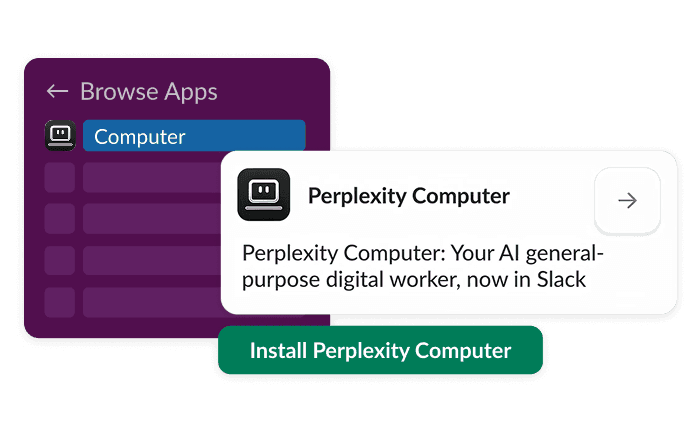
Connect your workspace
Connect your workspace
Install Computer from Slack's App directory. You can add apps at the bottom of Slack's left panel.
02
02
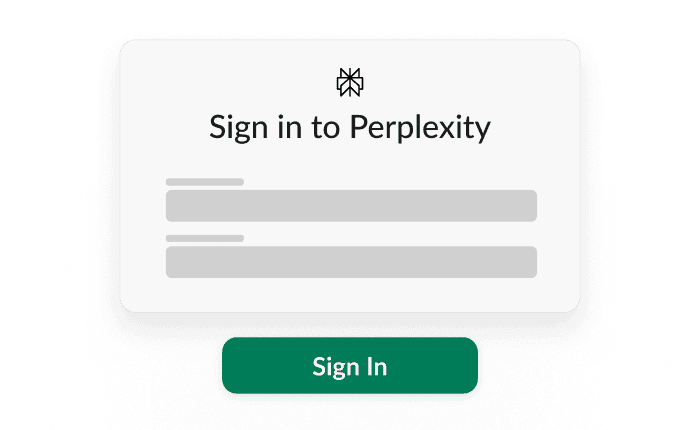
Sign in to Perplexity
Sign in to Perplexity
The first time Computer is prompted, Slack will ask the user to sign in. Review the permissions, select allow, and complete setup.
03
03
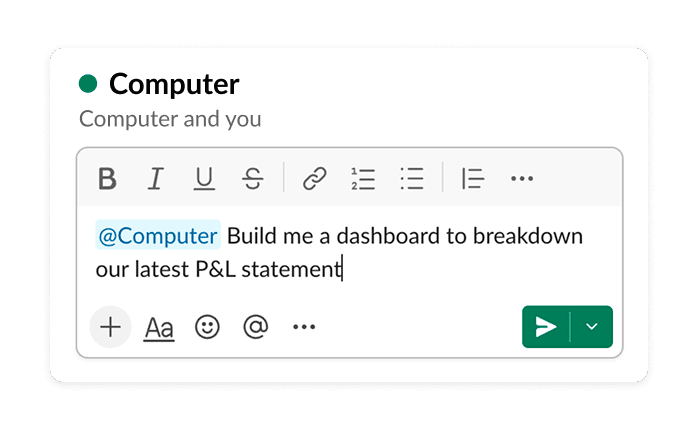
Collaborate with Computer
Collaborate with Computer
Message Computer directly in Slack or add @Computer in any channel or multi-person DM to collaborate as a team.
A paid Slack plan is required to access Perplexity's Slack integration.
Multiply your output with Computer
Multiply your output with Computer
Multiply your output with Computer