

Computer Analytics gives you a view of how Perplexity Computer is being adopted and used across your organization.
Only organization administrators can view organization-wide analytics. If you do not see the analytics section, contact an existing administrator in your organization to confirm your role.
What you can do
Break down credit usage by day — track daily credit consumption across your organization to spot trends, monitor spend, and identify usage spikes.
View credit usage by model — the Credit usage chart shows total usage or a breakdown by model.
View the top Computer users in your organization — a usage leaderboard surfaces your most active members, helping you identify power users and champions.
Export data for custom analysis — download usage data to run your own reporting, build dashboards, or share with stakeholders.
Activity breakdowns
Artifacts generated (documents, spreadsheets, presentations, and other outputs created by Computer)
Top Connectors (which integrations your members rely on most)
Top Skills (which Computer Skills are used most)
Top projects (where Computer activity is concentrated)
Average task duration across your organization
Open organization analytics
Go to Organization settings > Analytics > Computer.
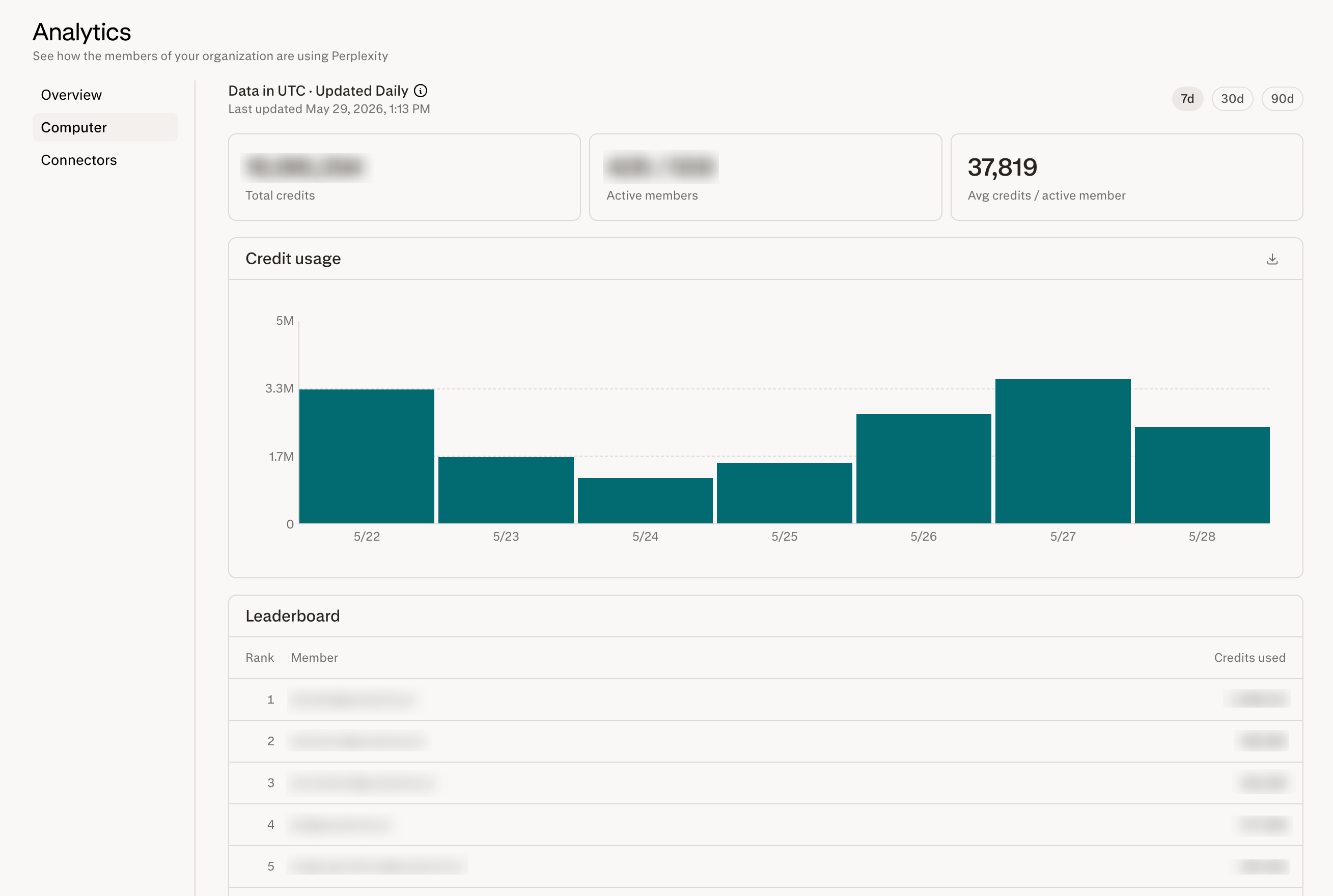
Figure 1 — Organization-wide Computer Analytics.
Programmatic reporting
Enterprise organizations can also access Computer usage analytics through an application programming interface (API). The API returns credits, Connectors, artifacts, Skills, projects, workflows, and task durations as bucketed time series for business intelligence (BI) tools or internal reporting. Analytics requests are free and do not consume API credits.
Organization administrators can enable the API and generate an organization-scoped, analytics-only key, which any organization administrator can manage. For setup steps, endpoints, parameters, and response details, see Analytics API. If the API option is unavailable, contact your Perplexity representative.
Frequently asked questions
How do I break down credit usage by model?
How do I break down credit usage by model?
Open the Credit usage chart. If the Group by control is shown on the Credit usage chart, use it to select the model breakdown. When only one breakdown is available, the chart shows it directly.
Can organization members see other members' usage?
Can organization members see other members' usage?
No. Members’ personal analytics pages show only their own activity. Organization-wide visibility, including the leaderboard, is restricted to administrators.
How often is the data refreshed?
How often is the data refreshed?
Data is normally refreshed once per day, but reporting delays can mean the latest data is older than the previous day. Check the last-updated timestamp on the analytics page before using the data for reporting.
Where can I learn more about credits?
Where can I learn more about credits?
For details on how credits are calculated and what counts toward your usage, see How credits work for Enterprise organizations — admin guide.
Personal analytics for your team
For personal analytics instructions to share with your team, see Computer Analytics.
Need more help?
Contact us via Help > Contact Support. Include the task link if your question is about a specific Computer task.