
Computer Analytics gives you visibility into how Perplexity Computer is being used — credit consumption, top users, most-used tools, and more. There are two views available, depending on your role:
Organization admins: organization-wide analytics across all members.
Organization members and consumer users: personal analytics for your own usage.
For organization admins
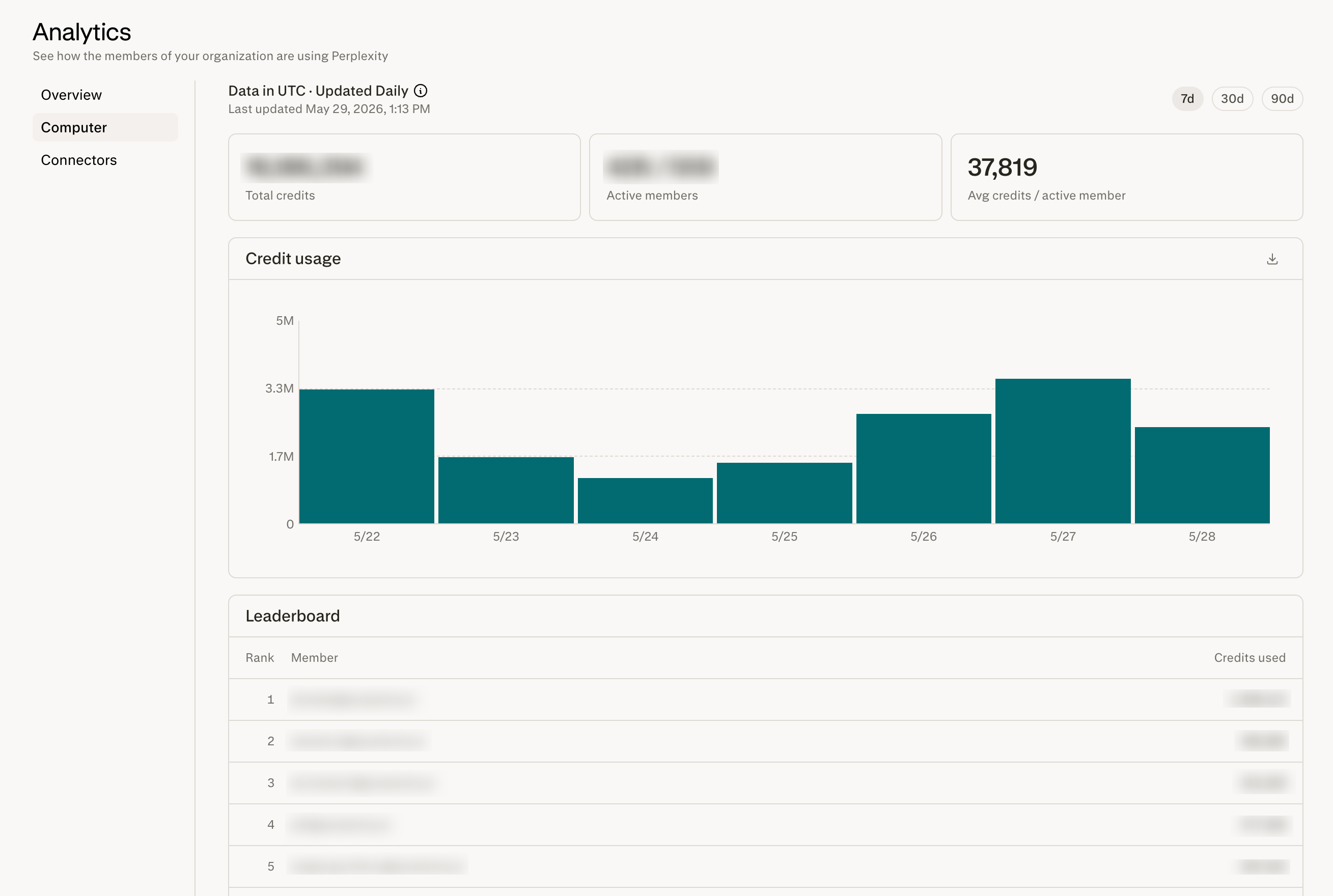
Admins can find Computer Analytics for their entire organization in Organization settings > Analytics > Computer.
The admin Computer Analytics page gives you a complete view of how Computer is being adopted and used across your organization.
What you can do
Break down credit usage by day — track daily credit consumption across your org to spot trends, monitor spend, and identify usage spikes.
View the top Computer users in your org — a usage leaderboard surfaces your most active members, helping you identify power users and champions.
Learn how Computer is being used in your org, including:
Artifacts generated (documents, spreadsheets, presentations, and other outputs created by Computer)
Top connectors (which integrations your members rely on most)
Top skills (which Computer skills are driving the most value)
Top spaces (where Computer activity is concentrated)
Average task duration across your org
Export data for custom analysis — download usage data to run your own reporting, build dashboards, or share with stakeholders.
Who can access it
Only organization admins can view this page. If you don’t see the analytics section, reach out to an existing admin in your organization to confirm your role.
For organization members and Perplexity Pro and Max users
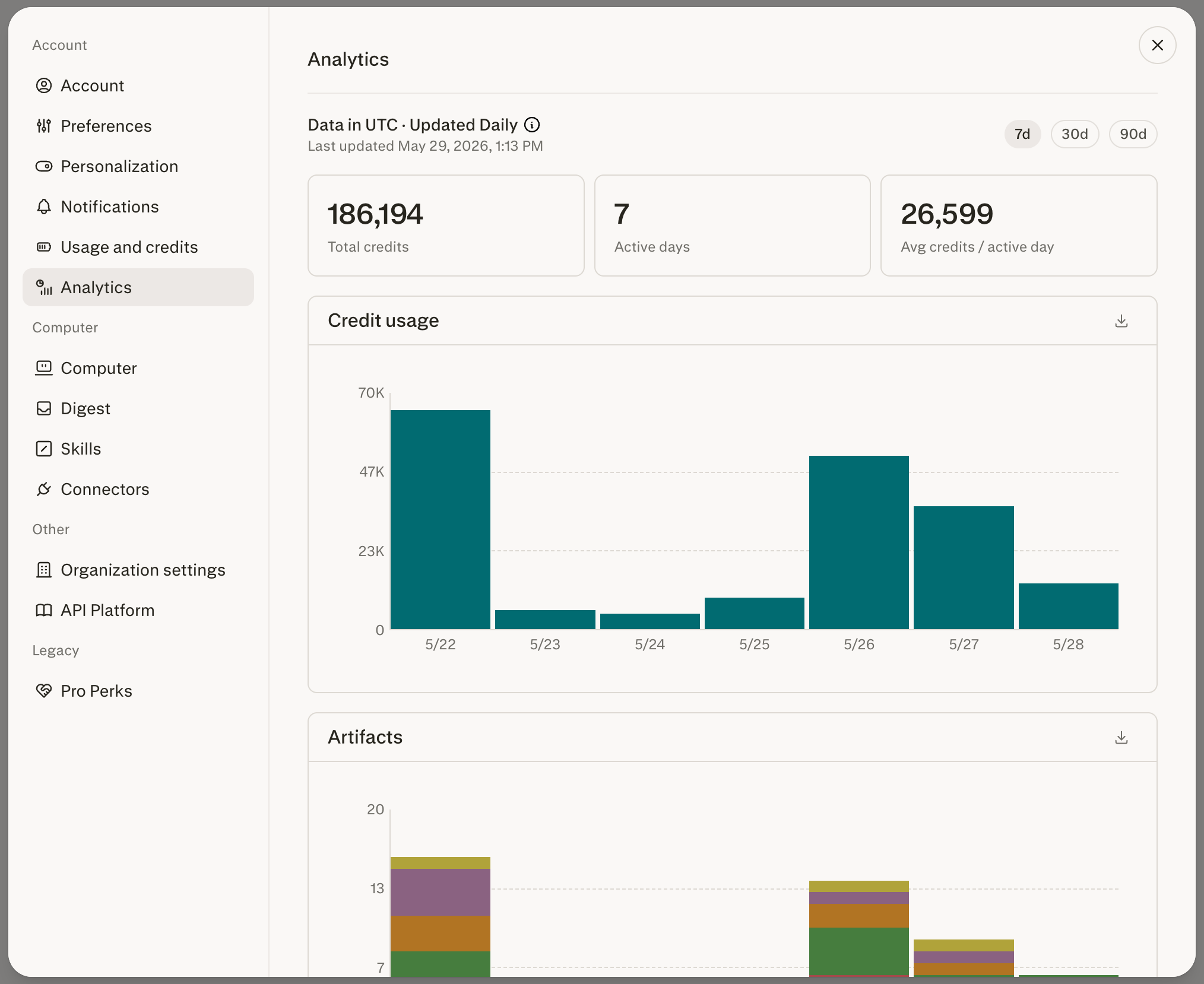
Individual members can also see their personal analytics in All settings > Analytics. This is also available to Perplexity Pro and Max users (not on an Enterprise organization).
The personal Computer Analytics page helps you understand your own Computer usage — useful for managing your credit budget and reviewing how Computer fits into your workflow.
What you can do
Break down your own credit usage by day — see exactly how your credits have been spent over time.
Explore how you’re using Computer, including:
Artifacts generated by your tasks
Top connectors you’ve used
Top skills you’ve invoked
Top spaces where you run Computer
Average task duration for your tasks
Who can access it
Individuals using Perplexity Pro and Max, and organization members, can view their personal analytics page.
FAQ
Can org members see other members' usage?
No. The personal analytics page only shows your own activity. Org-wide visibility, including the leaderboard, is restricted to admins.
How often is the data refreshed?
Data is refreshed once per day, so the most recent complete data is typically from the previous day.
Where can I learn more about credits?
See the How Credits Work for Enterprise organizations — Member Guide article (or How Credits Work on Perplexity for Perplexity Pro and Max users not on Enterprise organizations) for details on how credits are calculated and what counts toward your usage.